
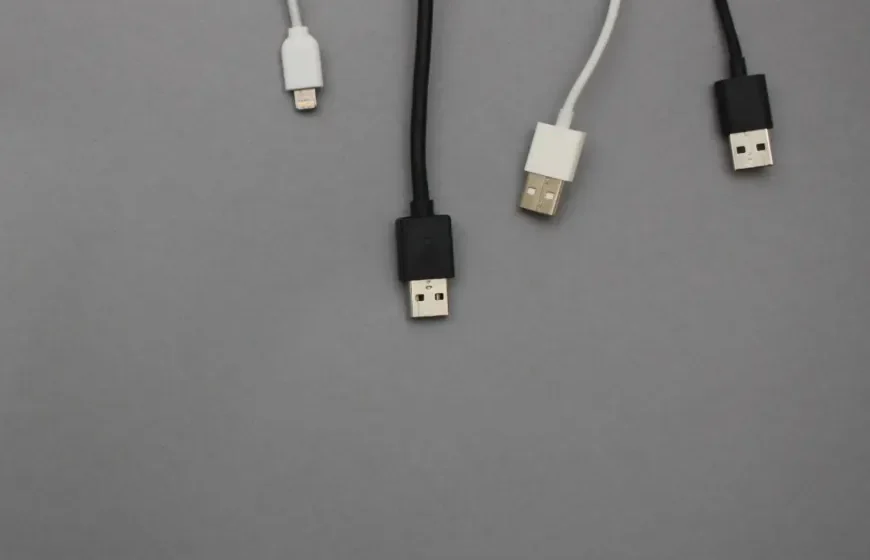

In today’s tech-driven world, almost every electronic device, from smartphones to wearables, uses a USB cable for charging. However, a common issue many users face is confusion about why some devices come with just a charging cable and no power brick. This raises important questions: Are all USB cables created equal? Do they all provide the same charging speed and safety?
In this comprehensive guide, we’ll explore how USB charging works, the differences between USB-A and USB-C, how voltage and amperage influence charging times, and how your device communicates with the charger. By the end, you’ll be well-equipped to choose and use your USB cables safely and wisely.
1. Why Have Manufacturers Stopped Including Chargers?
Over the past few years, many tech companies have started shipping devices without including charging bricks. This decision was made for both environmental and practical reasons. Reducing e-waste is a big motivator, as most people already have multiple chargers at home. Additionally, USB charging has become standardized enough that one charger can serve many devices.
Take a look in your drawer — you’ll probably find several old chargers that you no longer use, from old phones or accessories. These chargers often outlast the devices they came with. The reality is that one USB charger can now power a variety of devices, provided it supports the right connection type.
2. USB-A: The Legacy Standard
USB-A, the classic rectangular port, has been the standard for many years. It’s the first generation of USB technology and remains widely used today. Here’s what you need to know about USB-A:
- Voltage: USB-A ports always provide 5 volts of power.
- Amperage: Initially, USB-A ports could deliver only 0.5 amps (500 mA), which was suitable for small accessories but too slow for charging modern devices. Over time, this has improved:
- USB 2.0: 0.5 amps
- USB 3.0: 0.9 amps
- Dedicated charging ports: Up to 1.5 amps
If you connect a device to an older USB-A port, it will charge, but the process will be slower. However, it remains a safe option, just not the most efficient.
3. Enter USB-C: The Future of Charging
USB-C is the next step in USB evolution. Unlike USB-A, USB-C is smaller, reversible, and supports higher speeds for both data transfer and power delivery. Here’s why USB-C is such a game-changer:
- Compact and Reversible: USB-C connectors are smaller and can be plugged in either way, eliminating the hassle of flipping cables around.
- Versatile Power Delivery: USB-C can handle multiple voltage levels, including:
- 5V
- 9V
- 15V
- 20V
- And with USB Power Delivery (PD), it can even manage:
- 28V
- 36V
- 48V
This wide range of voltages means USB-C is capable of charging not just smartphones but also larger devices like laptops, monitors, and gaming consoles.
4. Understanding USB Power Delivery (PD)
USB Power Delivery (PD) is a protocol that allows your device, charger, and cable to communicate with each other to ensure efficient and safe charging. Here’s how it works:
- The charger announces the voltage it can support (e.g., 5V, 9V, 15V).
- The device replies with the amount of power it can safely accept (e.g., 9V at 2A).
- The cable confirms its capacity (e.g., 60W, 100W, or 240W).
This “conversation” ensures the system chooses the safest and most efficient charging setup. If the charger or cable doesn’t support PD, the system defaults to the basic 5V mode to prevent damage.
5. The Role of the Cable: Passive vs Active Cables
Not all USB cables are created equal. There are two main types:
- Passive Cables: These are simple cables with no embedded circuitry. Power simply flows through based on the charger and device’s specifications.
- Active Cables: These cables contain small chips, called e-markers, which help negotiate power delivery. They ensure that high-power devices (like laptops) receive the correct power and prevent slow charging.
Cheap cables may lack these safety features, leading to slower charging speeds or even potential harm to your device.
6. Are All USB Cables Universal?
Despite the standardization of USB, not all cables are compatible with every device. Here’s a quick breakdown:
| Cable Type | Connector | Typical Voltage | Max Power | Common Usage |
|---|---|---|---|---|
| USB-A to Micro-USB | USB-A | 5V | 2.4W–7.5W | Older phones |
| USB-A to USB-C | USB-A | 5V | 7.5W–10W | Basic USB-C devices |
| USB-C to USB-C (PD) | USB-C | 5V–20V+ | Up to 240W | Phones, laptops |
| USB-C to Lightning | USB-C | 5V–9V | 18W–30W | iPhones, AirPods |
| Thunderbolt 4 (USB-C) | USB-C | 5V–20V | 100W–240W | High-end devices |
Using the right cable is key to achieving the fastest and safest charging. For example, pairing a USB-C charger with a USB-C cable will provide the fastest charging speeds.
7. Debunking Common Myths About USB Charging
There are many misconceptions around USB charging. Let’s clear up some common myths:
- Myth 1: “Faster chargers will damage my phone.”
Reality: USB Power Delivery is designed to prevent overcharging. Your phone will only draw the power it needs. - Myth 2: “All USB cables charge at the same speed.”
Reality: The quality and wattage of the cable play a significant role in charging speed. - Myth 3: “You must use the original charger.”
Reality: As long as the charger is USB-IF certified, it’s safe to use any compatible charger.
8. Why Some Devices Come Without Chargers
The trend of selling phones with just a USB-C to USB-C cable, and no charger, is becoming more common. While it might seem inconvenient, it’s a practical move that helps reduce e-waste. Many people already own compatible chargers, and universal USB-C chargers can work across a variety of devices.
9. Tips for Safe and Efficient Charging
To ensure your devices charge safely and efficiently, keep these tips in mind:
- Use certified accessories: Always buy from trusted brands that are USB-IF certified.
- Check cable ratings: Look for labels like “60W” or “240W” to ensure you’re using a high-quality cable.
- Avoid damaged cables: Frayed cables or bent connectors can cause overheating or short circuits.
- Keep ports clean: Dust and dirt can interfere with charging and cause safety hazards.
- Don’t cover devices while charging: This traps heat and can slow down performance.
10. How to Know Your Cable’s Power Capacity
Most cables don’t explicitly list their power rating, but there are a few ways to gauge their capability:
- Check the packaging or manufacturer’s website.
- Use a USB power meter to measure voltage and current.
- Pay attention to how quickly your device charges compared to other cables.
If you’re using high-power devices like laptops, investing in a 100W USB-C PD cable is a wise decision.
11. Frequently Asked Questions
- Q1: “Can I use my old USB-A charger for my new USB-C phone?”
A1: Yes, it will charge your phone, but more slowly. - Q2: “What happens if my charger provides more watts than my phone supports?”
A2: Your phone will only draw the power it can handle, preventing overcharging. - Q3: “How can I tell if my charger supports fast charging?”
A3: Look for terms like “PD” or “Quick Charge” on the charger. - Q4: “Do all USB-C cables support video and data transfer?”
A4: No, only cables labeled as USB-C 3.1 Gen 2 or Thunderbolt 4 support video and data transfer. - Q5: “Can I use the same USB-C cable for my laptop and phone?”
A5: Yes, if the cable supports enough wattage (typically 60W+).
Final Thoughts
USB charging has come a long way. From the old USB-A days to the versatile and powerful USB-C, charging is now faster, safer, and more efficient than ever before. Understanding the different cables, chargers, and protocols ensures that you can charge your devices quickly without risking damage.
Stick to certified accessories, use the right cable for the job, and enjoy safe, efficient charging every time. If you have a USB-C device, make sure to pair it with a USB-C Power Delivery charger to unlock the fastest charging speeds.